/

Features

Keyboard Shortcuts

Discover all available Griply keyboard shortcuts for faster navigation, task creation, goal planning, and habit tracking on desktop and web.
General

Action

Mac OS

Windows

Web

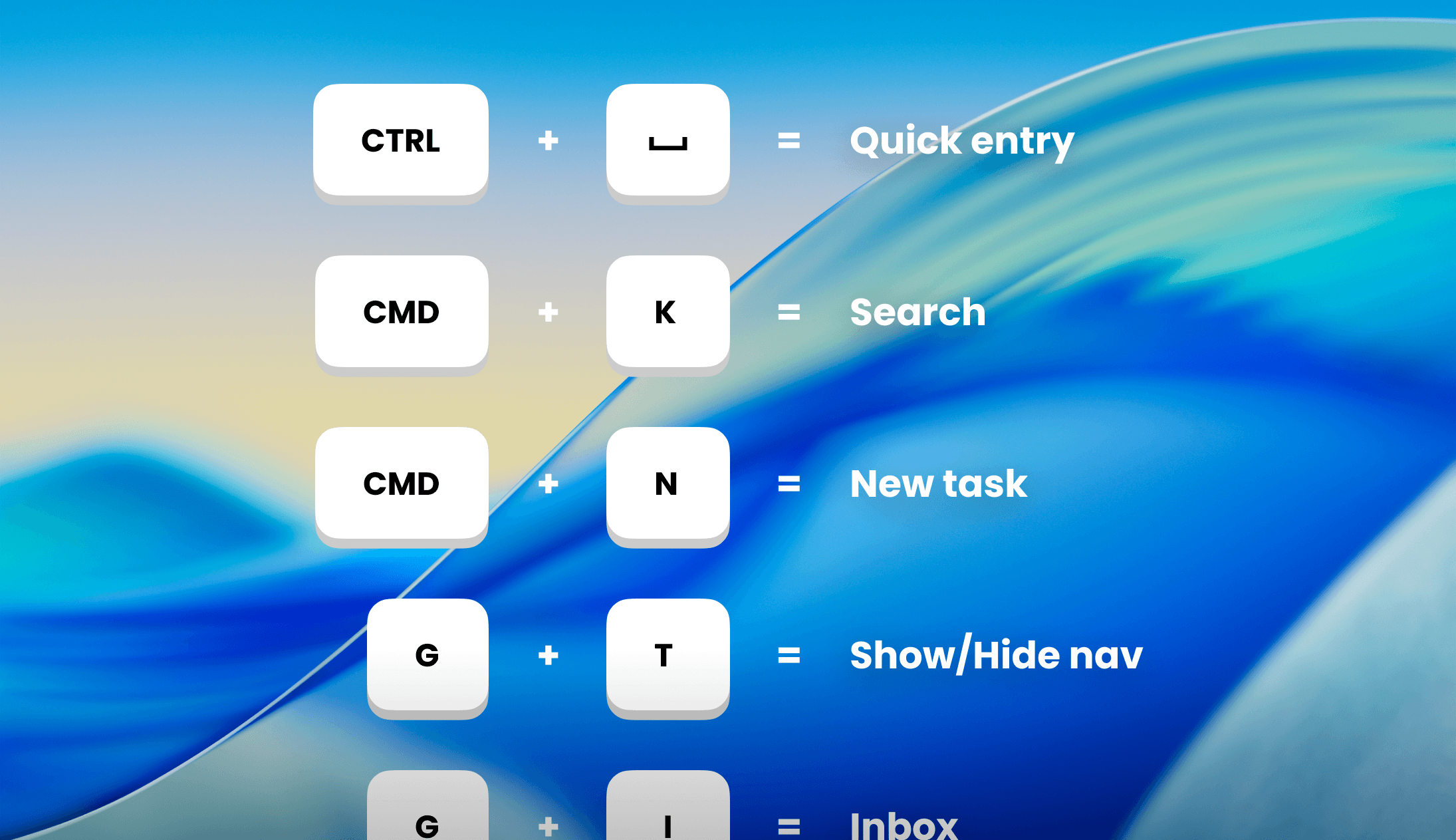
Open Search/Command Menu

CMD + K

CTRL + K

CMD/CTRL + K

Open App Settings

CMD + ,

-

-

Create New Task

πŸ’‘ Tip: Create tasks faster using natural language and Smart Recognition.

Action

Mac OS

Windows

Web

Create New Task

CMD + N

CTRL + N

N

Create New Task Outside App

CTRL + SPACE

CTRL + SPACE

-

Save New Task

CMD + Enter

CTRL + ENTER

CMD / CTRL + Enter

Set Date

Today / Jan 8 / No date / …

Today / Jan 8 / No date …

Today / Jan 8 / No date / …

Select Goal or Life Area

~

~

~

Select Tag(s)

#

#

#

Add Deadline

Today / Jan 8 / …

Today / Jan 8 / …

Today / Jan 8 / …

Add Priority

p1 / p2 / p3

p1 / p2 / p3

p1 / p2 / p3

Add Start Time

9am / 9:00

9am / 9:00

9am / 9:00

Add Duration

15m / 2h30m / 9am-11am

15m / 2h30m / 9am-11am

15m / 2h30m / 9am-11am

Add Reminder at Fixed Time

!9am / !09:00 / !9:00

!9am / !09:00 / !9:00

!9am / !09:00 / !9:00

At Reminder at Relative Time

!0m / !10m / !1h30m

!0m / !10m / !1h30m

!0m / !10m / !1h30m

Add Repeat Schedule

Daily / every Friday / …

Daily / every Friday / …

Daily / every Friday / …

Edit Tasks

πŸ’‘ Tip: These shortcuts work in the task dialog and when selecting one or more tasks in your task list.

Action

Mac OS

Windows

Web

Open Goal/Life area Picker

G

G

G

Open Date Picker

D

D

D

Open Priority Picker

P

P

P

Open Deadline Picker

SHIFT + D

SHIFT + D

SHIFT + D

Open Tag Selector

T

T

T

Open reminder menu

R

R

R

Open edit menu (only in multi-select)

E

E

E

Set Date to Today

SHIFT + T

SHIFT + T

SHIFT + T

Set Date to Tomorrow

OPTION + SHIFT + T

ALT + SHIFT + T

OPTION/ALT + SHIFT + T

Set Date to Next Week

SHIFT + W

SHIFT + W

SHIFT + W

Clear Date

SHIFT + U

SHIFT + U

SHIFT + U

Set Priority to High

SHIFT + 1

SHIFT + 1

SHIFT + 1

Set Priority to Medium

SHIFT + 2

SHIFT + 2

SHIFT + 2

Set Priority to Low

SHIFT + 3

SHIFT + 3

SHIFT + 3

Set Priority to None

SHIFT + 4

SHIFT + 4

SHIFT + 4

Navigation

Action

Mac OS

Windows

Web

Show/Hide Navigation

CMD + /

CTRL + /

/

Go to Inbox

G + I

G + I

G + I

Go to Today

G + T

G + T

G + T

Go to Upcoming

G + U

G + U

G + U

Go to All Tasks

G + A

G + A

G + A

Go to Completed

G + C

G + C

G + C

Go to Life Areas

G + L

G + L

G + L

Go to Goals

G + O

G + O

G + O

Go to Habits

G + H

G + H

G + H

Go to Insights

G + N

G + N

G + N

Calendar

Action

Mac OS

Windows

Web

4-Day View

D

D

D

Week View

W

W

W

Month View

M

M

M

Go to Today

T

T

T

Go to Next Day

β†’

β†’

β†’

Go to Previous Day

←

←

←

Go to Next Month

β†’

β†’

β†’

Go to Previous Month

←

←

←

Go to Next Week

SHIFT + β†’

SHIFT + β†’

SHIFT + β†’

Go to Previous Week

SHIFT + ←

SHIFT + ←

SHIFT + ←

Creating From a Dragged Time Slot

Dragging across empty time on the calendar opens a create menu. These shortcuts speed it up:

Action

Mac OS

Windows

Web

Skip the menu and create a task

ALT + drag

ALT + drag

ALT + drag

Pick a menu option once the menu is open

1 - 5

1 - 5

1 - 5

The five options are New task, New calendar event, and a focus block for a goal or life area, a Smart List, or a tag. See Calendar.

Today

Action

Mac OS

Windows

Web

Show/Hide Calendar

C

C

C

Upcoming

Action

Mac OS

Windows

Web

Task List View

L

L

L

Task Calendar View

C

C

C

Show/Hide All Tasks

A

A

A

List Switcher

S

S

S

The side panel can switch to Inbox, Habits, All Tasks, any Smart List any tag.

Habit Dialog

Action

Mac OS

Windows

Web

Insights Tab

I

I

I

Upcoming Tab

U

U

U

Settings Tab

S

S

S

Goals

Action

Mac OS

Windows

Web

Create New Goal

OPTION + CMD + N

ALT + CTRL + N

OPTION + CMD/CTRL + N

Goal List View

L

L

L

Goal Timeline View

T

T

T

Goals Timeline

Action

Mac OS

Windows

Web

Week View

W

W

W

Month View

M

M

M

Quarter View

Q

Q

Q

Year View

Y

Y

Y

5-Year View

5

5

5

Go to This Period

T

T

T

Go to Next Period

β†’

β†’

β†’

Go to Previous Period

←

←

←

Insights

Action

Mac OS

Windows

Web

Week View

W

W

W

Month View

M

M

M

Quarter View

Q

Q

Q

Year View

Y

Y

Y

Didn’t find what you were looking for? We’re here to help! You can contact us anytime or ask your question in one of our communities.

/

Features

Keyboard Shortcuts

Discover all available Griply keyboard shortcuts for faster navigation, task creation, goal planning, and habit tracking on desktop and web.

General

Action

Mac OS

Windows

Web

Open Search/Command Menu

CMD + K

CTRL + K

CMD/CTRL + K

Open App Settings

CMD + ,

-

-

Create New Task

πŸ’‘ Tip: Create tasks faster using natural language and Smart Recognition.

Action

Mac OS

Windows

Web

Create New Task

CMD + N

CTRL + N

N

Create New Task Outside App

CTRL + SPACE

CTRL + SPACE

-

Save New Task

CMD + Enter

CTRL + ENTER

CMD / CTRL + Enter

Set Date

Today / Jan 8 / No date / …

Today / Jan 8 / No date …

Today / Jan 8 / No date / …

Select Goal or Life Area

~

~

~

Select Tag(s)

#

#

#

Add Deadline

Today / Jan 8 / …

Today / Jan 8 / …

Today / Jan 8 / …

Add Priority

p1 / p2 / p3

p1 / p2 / p3

p1 / p2 / p3

Add Start Time

9am / 9:00

9am / 9:00

9am / 9:00

Add Duration

15m / 2h30m / 9am-11am

15m / 2h30m / 9am-11am

15m / 2h30m / 9am-11am

Add Reminder at Fixed Time

!9am / !09:00 / !9:00

!9am / !09:00 / !9:00

!9am / !09:00 / !9:00

At Reminder at Relative Time

!0m / !10m / !1h30m

!0m / !10m / !1h30m

!0m / !10m / !1h30m

Add Repeat Schedule

Daily / every Friday / …

Daily / every Friday / …

Daily / every Friday / …

Edit Tasks

πŸ’‘ Tip: These shortcuts work in the task dialog and when selecting one or more tasks in your task list.

Action

Mac OS

Windows

Web

Open Goal/Life area Picker

G

G

G

Open Date Picker

D

D

D

Open Priority Picker

P

P

P

Open Deadline Picker

SHIFT + D

SHIFT + D

SHIFT + D

Open Tag Selector

T

T

T

Open reminder menu

R

R

R

Open edit menu (only in multi-select)

E

E

E

Set Date to Today

SHIFT + T

SHIFT + T

SHIFT + T

Set Date to Tomorrow

OPTION + SHIFT + T

ALT + SHIFT + T

OPTION/ALT + SHIFT + T

Set Date to Next Week

SHIFT + W

SHIFT + W

SHIFT + W

Clear Date

SHIFT + U

SHIFT + U

SHIFT + U

Set Priority to High

SHIFT + 1

SHIFT + 1

SHIFT + 1

Set Priority to Medium

SHIFT + 2

SHIFT + 2

SHIFT + 2

Set Priority to Low

SHIFT + 3

SHIFT + 3

SHIFT + 3

Set Priority to None

SHIFT + 4

SHIFT + 4

SHIFT + 4

Navigation

Action

Mac OS

Windows

Web

Show/Hide Navigation

CMD + /

CTRL + /

/

Go to Inbox

G + I

G + I

G + I

Go to Today

G + T

G + T

G + T

Go to Upcoming

G + U

G + U

G + U

Go to All Tasks

G + A

G + A

G + A

Go to Completed

G + C

G + C

G + C

Go to Life Areas

G + L

G + L

G + L

Go to Goals

G + O

G + O

G + O

Go to Habits

G + H

G + H

G + H

Go to Insights

G + N

G + N

G + N

Calendar

Action

Mac OS

Windows

Web

4-Day View

D

D

D

Week View

W

W

W

Month View

M

M

M

Go to Today

T

T

T

Go to Next Day

β†’

β†’

β†’

Go to Previous Day

←

←

←

Go to Next Month

β†’

β†’

β†’

Go to Previous Month

←

←

←

Go to Next Week

SHIFT + β†’

SHIFT + β†’

SHIFT + β†’

Go to Previous Week

SHIFT + ←

SHIFT + ←

SHIFT + ←

Creating From a Dragged Time Slot

Dragging across empty time on the calendar opens a create menu. These shortcuts speed it up:

Action

Mac OS

Windows

Web

Skip the menu and create a task

ALT + drag

ALT + drag

ALT + drag

Pick a menu option once the menu is open

1 - 5

1 - 5

1 - 5

The five options are New task, New calendar event, and a focus block for a goal or life area, a Smart List, or a tag. See Calendar.

Today

Action

Mac OS

Windows

Web

Show/Hide Calendar

C

C

C

Upcoming

Action

Mac OS

Windows

Web

Task List View

L

L

L

Task Calendar View

C

C

C

Show/Hide All Tasks

A

A

A

List Switcher

S

S

S

The side panel can switch to Inbox, Habits, All Tasks, any Smart List any tag.

Habit Dialog

Action

Mac OS

Windows

Web

Insights Tab

I

I

I

Upcoming Tab

U

U

U

Settings Tab

S

S

S

Goals

Action

Mac OS

Windows

Web

Create New Goal

OPTION + CMD + N

ALT + CTRL + N

OPTION + CMD/CTRL + N

Goal List View

L

L

L

Goal Timeline View

T

T

T

Goals Timeline

Action

Mac OS

Windows

Web

Week View

W

W

W

Month View

M

M

M

Quarter View

Q

Q

Q

Year View

Y

Y

Y

5-Year View

5

5

5

Go to This Period

T

T

T

Go to Next Period

β†’

β†’

β†’

Go to Previous Period

←

←

←

Insights

Action

Mac OS

Windows

Web

Week View

W

W

W

Month View

M

M

M

Quarter View

Q

Q

Q

Year View

Y

Y

Y

Didn’t find what you were looking for? We’re here to help! You can contact us anytime or ask your question in one of our communities.

/

Features

Keyboard Shortcuts

Discover all available Griply keyboard shortcuts for faster navigation, task creation, goal planning, and habit tracking on desktop and web.

General

Action

Mac OS

Windows

Web

Open Search/Command Menu

CMD + K

CTRL + K

CMD/CTRL + K

Open App Settings

CMD + ,

-

-

Create New Task

πŸ’‘ Tip: Create tasks faster using natural language and Smart Recognition.

Action

Mac OS

Windows

Web

Create New Task

CMD + N

CTRL + N

N

Create New Task Outside App

CTRL + SPACE

CTRL + SPACE

-

Save New Task

CMD + Enter

CTRL + ENTER

CMD / CTRL + Enter

Set Date

Today / Jan 8 / No date / …

Today / Jan 8 / No date …

Today / Jan 8 / No date / …

Select Goal or Life Area

~

~

~

Select Tag(s)

#

#

#

Add Deadline

Today / Jan 8 / …

Today / Jan 8 / …

Today / Jan 8 / …

Add Priority

p1 / p2 / p3

p1 / p2 / p3

p1 / p2 / p3

Add Start Time

9am / 9:00

9am / 9:00

9am / 9:00

Add Duration

15m / 2h30m / 9am-11am

15m / 2h30m / 9am-11am

15m / 2h30m / 9am-11am

Add Reminder at Fixed Time

!9am / !09:00 / !9:00

!9am / !09:00 / !9:00

!9am / !09:00 / !9:00

At Reminder at Relative Time

!0m / !10m / !1h30m

!0m / !10m / !1h30m

!0m / !10m / !1h30m

Add Repeat Schedule

Daily / every Friday / …

Daily / every Friday / …

Daily / every Friday / …

Edit Tasks

πŸ’‘ Tip: These shortcuts work in the task dialog and when selecting one or more tasks in your task list.

Action

Mac OS

Windows

Web

Open Goal/Life area Picker

G

G

G

Open Date Picker

D

D

D

Open Priority Picker

P

P

P

Open Deadline Picker

SHIFT + D

SHIFT + D

SHIFT + D

Open Tag Selector

T

T

T

Open reminder menu

R

R

R

Open edit menu (only in multi-select)

E

E

E

Set Date to Today

SHIFT + T

SHIFT + T

SHIFT + T

Set Date to Tomorrow

OPTION + SHIFT + T

ALT + SHIFT + T

OPTION/ALT + SHIFT + T

Set Date to Next Week

SHIFT + W

SHIFT + W

SHIFT + W

Clear Date

SHIFT + U

SHIFT + U

SHIFT + U

Set Priority to High

SHIFT + 1

SHIFT + 1

SHIFT + 1

Set Priority to Medium

SHIFT + 2

SHIFT + 2

SHIFT + 2

Set Priority to Low

SHIFT + 3

SHIFT + 3

SHIFT + 3

Set Priority to None

SHIFT + 4

SHIFT + 4

SHIFT + 4

Navigation

Action

Mac OS

Windows

Web

Show/Hide Navigation

CMD + /

CTRL + /

/

Go to Inbox

G + I

G + I

G + I

Go to Today

G + T

G + T

G + T

Go to Upcoming

G + U

G + U

G + U

Go to All Tasks

G + A

G + A

G + A

Go to Completed

G + C

G + C

G + C

Go to Life Areas

G + L

G + L

G + L

Go to Goals

G + O

G + O

G + O

Go to Habits

G + H

G + H

G + H

Go to Insights

G + N

G + N

G + N

Calendar

Action

Mac OS

Windows

Web

4-Day View

D

D

D

Week View

W

W

W

Month View

M

M

M

Go to Today

T

T

T

Go to Next Day

β†’

β†’

β†’

Go to Previous Day

←

←

←

Go to Next Month

β†’

β†’

β†’

Go to Previous Month

←

←

←

Go to Next Week

SHIFT + β†’

SHIFT + β†’

SHIFT + β†’

Go to Previous Week

SHIFT + ←

SHIFT + ←

SHIFT + ←

Creating From a Dragged Time Slot

Dragging across empty time on the calendar opens a create menu. These shortcuts speed it up:

Action

Mac OS

Windows

Web

Skip the menu and create a task

ALT + drag

ALT + drag

ALT + drag

Pick a menu option once the menu is open

1 - 5

1 - 5

1 - 5

The five options are New task, New calendar event, and a focus block for a goal or life area, a Smart List, or a tag. See Calendar.

Today

Action

Mac OS

Windows

Web

Show/Hide Calendar

C

C

C

Upcoming

Action

Mac OS

Windows

Web

Task List View

L

L

L

Task Calendar View

C

C

C

Show/Hide All Tasks

A

A

A

List Switcher

S

S

S

The side panel can switch to Inbox, Habits, All Tasks, any Smart List any tag.

Habit Dialog

Action

Mac OS

Windows

Web

Insights Tab

I

I

I

Upcoming Tab

U

U

U

Settings Tab

S

S

S

Goals

Action

Mac OS

Windows

Web

Create New Goal

OPTION + CMD + N

ALT + CTRL + N

OPTION + CMD/CTRL + N

Goal List View

L

L

L

Goal Timeline View

T

T

T

Goals Timeline

Action

Mac OS

Windows

Web

Week View

W

W

W

Month View

M

M

M

Quarter View

Q

Q

Q

Year View

Y

Y

Y

5-Year View

5

5

5

Go to This Period

T

T

T

Go to Next Period

β†’

β†’

β†’

Go to Previous Period

←

←

←

Insights

Action

Mac OS

Windows

Web

Week View

W

W

W

Month View

M

M

M

Quarter View

Q

Q

Q

Year View

Y

Y

Y

Didn’t find what you were looking for? We’re here to help! You can contact us anytime or ask your question in one of our communities.

Table of contents